> ## Documentation Index
> Fetch the complete documentation index at: https://docs.geekai.co/llms.txt
> Use this file to discover all available pages before exploring further.
# Immersive Translation
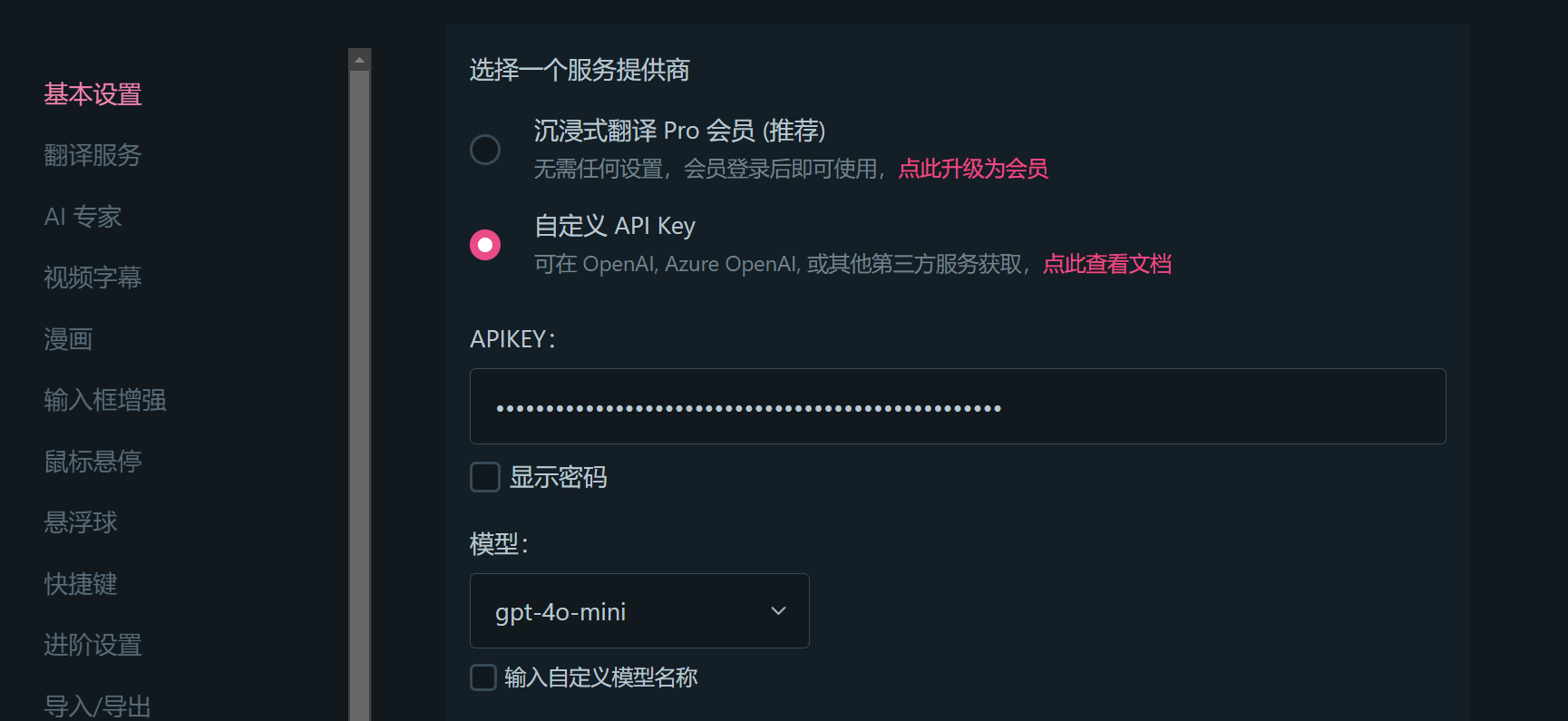
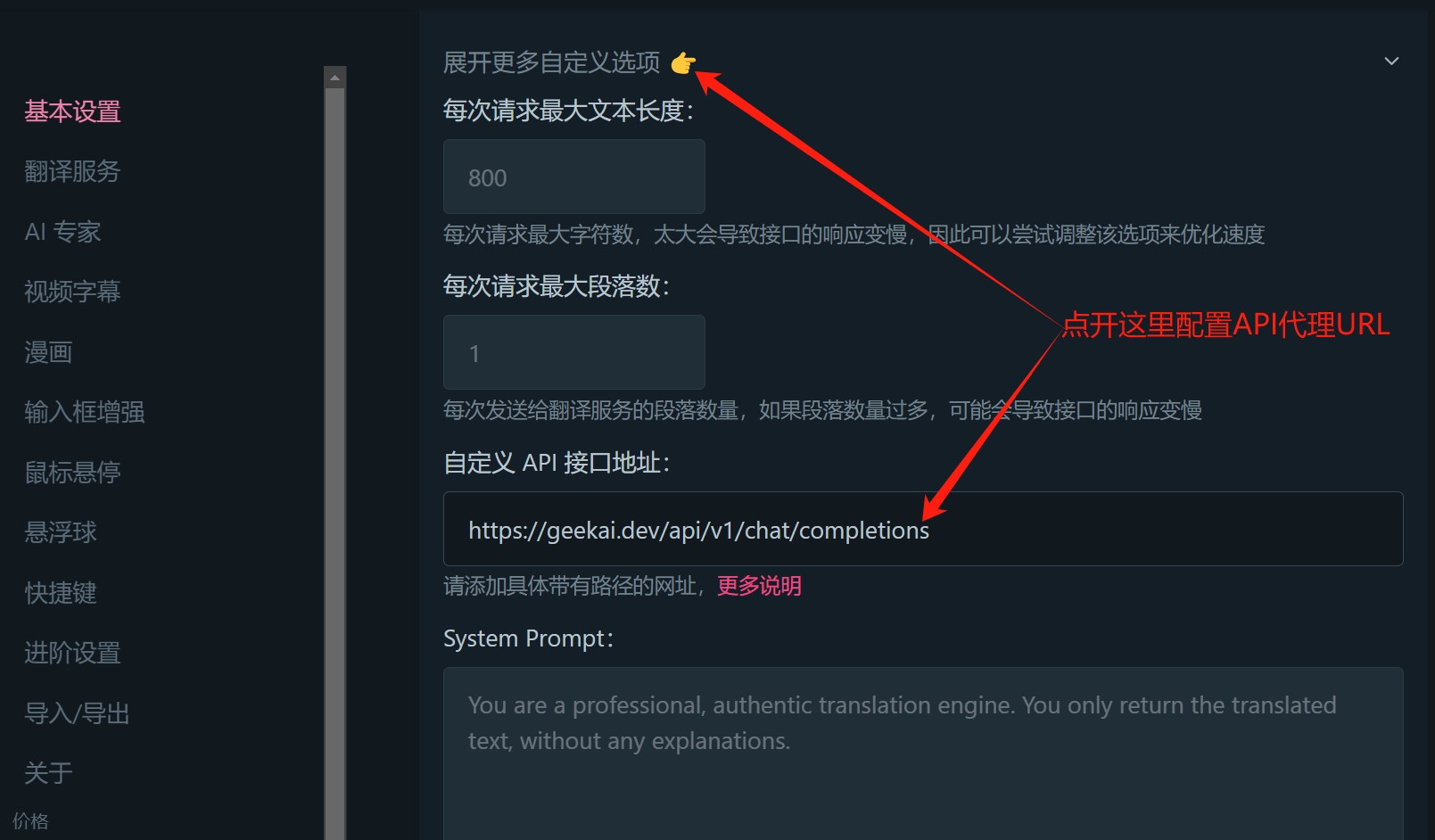
Open the [Immersive Translation](https://immersivetranslate.com/zh-Hans/) browser extension settings interface and enter the GeekAI API URL and API\_KEY:
 Note: It is recommended to use free models for translation tasks to achieve the best cost-effectiveness, such as glm-4-flash.
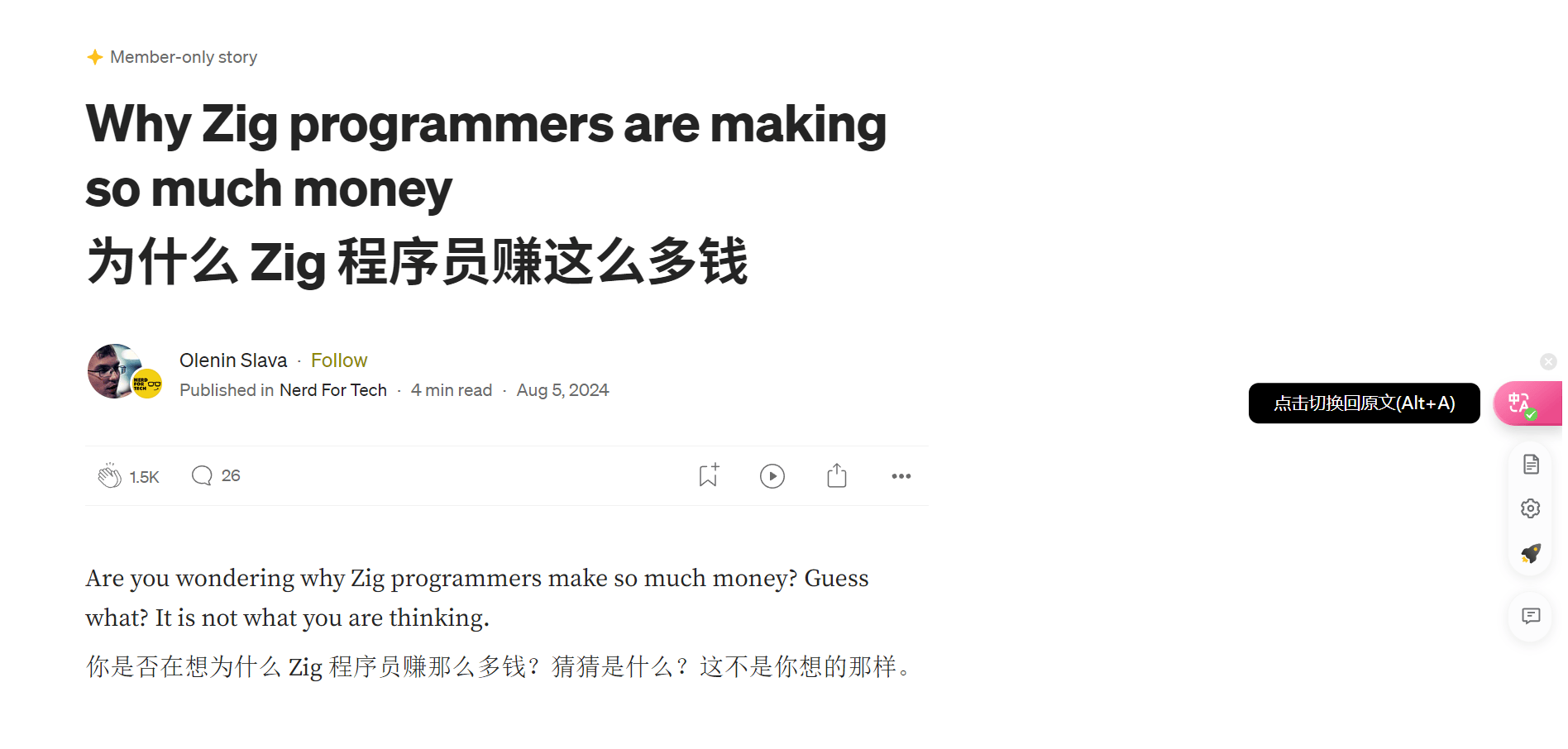
The settings will be saved automatically after configuration. You can then use the Immersive Translate feature through GeekAI's proxied OpenAI models directly on the browser page:
Note: It is recommended to use free models for translation tasks to achieve the best cost-effectiveness, such as glm-4-flash.
The settings will be saved automatically after configuration. You can then use the Immersive Translate feature through GeekAI's proxied OpenAI models directly on the browser page: